The Control Plane for MCP
Secure vault • Managed MCP runtime • Tool-call audit trail • Policy-based approvals
Operate MCP end‑to‑end. Easily, safely, at scale.
The Challenge
What Goes Wrong Without an MCP Control Plane
MCP without governance: secrets leak, servers sprawl, and risky calls slip through.
MCP Servers Are a Full-Time Job
- A whole new ops domain:
Beyond agent logic, you now manage server restarts, scaling, and health checks.
- Servers crash, you fix:
Dead processes, memory leaks, stuck connections — all on your plate.
- Resource sprawl:
Each agent spins up its own servers, wasting compute and drifting out of sync.
Credentials Exposed to Agents
- Plain-text keys in MCP configs:
API keys stored unencrypted in MCP server configs — a single leak can compromise production access.
- Agents see raw credentials:
Secrets passed directly to AI agents end up in logs, traces, and model context.
- No vault-backed rotation:
Rotating or revoking keys means touching every agent and server manually.
No Per-Agent, Per-Action Control
- Can't express fine-grained policies:
Hard to say "this agent can call this MCP tool, but read-only — never write."
- Shared credentials across stages:
Staging and production often share the same keys and permissions.
- No "requires approval" flag:
High-risk MCP operations can't be tagged as "needs human approval."
No Logging, No Visibility
- No audit trail for tool calls:
Can't trace which agent accessed sensitive data, when, or why.
- Usage and cost are a black box:
No way to track API consumption, allocate costs, or evaluate agent efficiency.
- Compliance blocked:
Security teams reject agent projects without proof of governance and logging.
The Solution
The MCP Control Plane Suite
Secure vault, managed runtime, audit logs, and policy-based approvals — one integration point between agents and MCP servers.
Peta Core
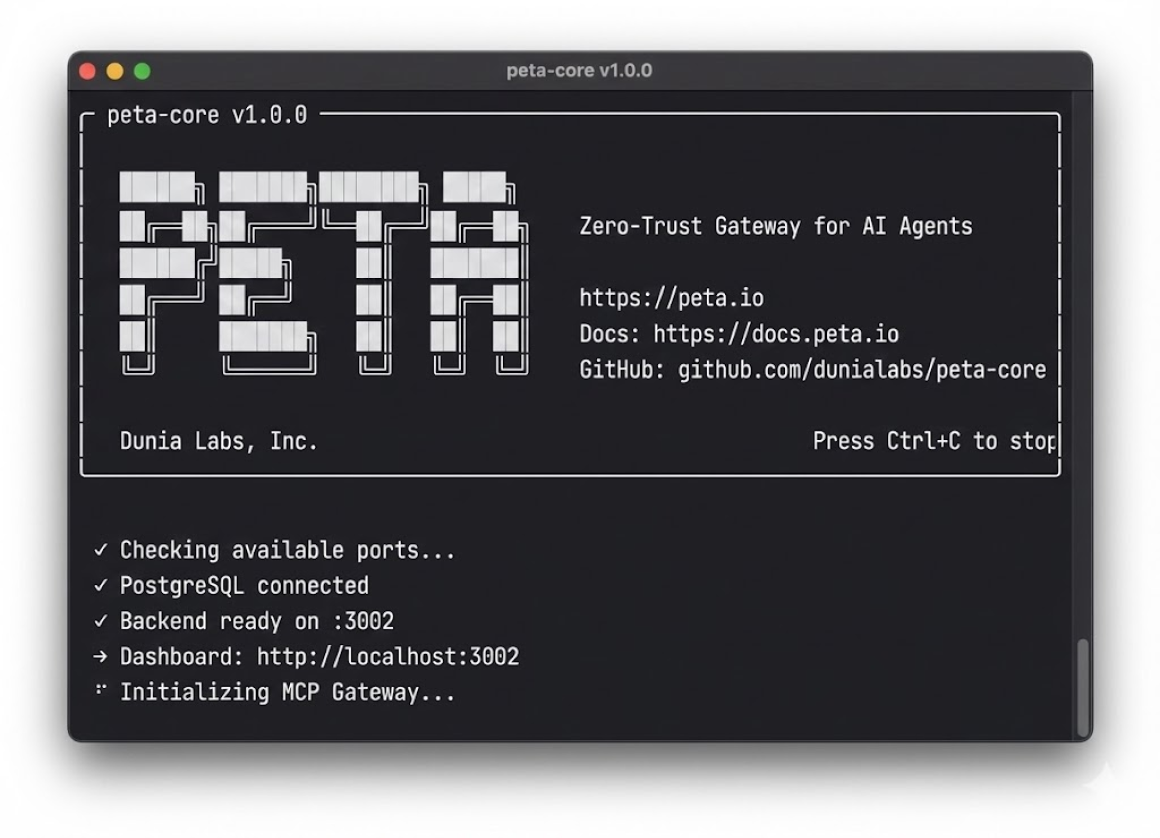
Peta Core is the managed MCP runtime and zero-trust gateway. It keeps credentials server-side, issues short-lived agent tokens, and handles MCP server lifecycle with lazy loading, auto-retry, and automatic recovery. Connect existing servers, convert REST APIs with zero code, or upload skill packages as namespaced tools — servers start on-demand and shut down after idle periods. Every tool call passes through the gateway — identity validated, policy enforced, secrets injected at runtime.
Peta Console
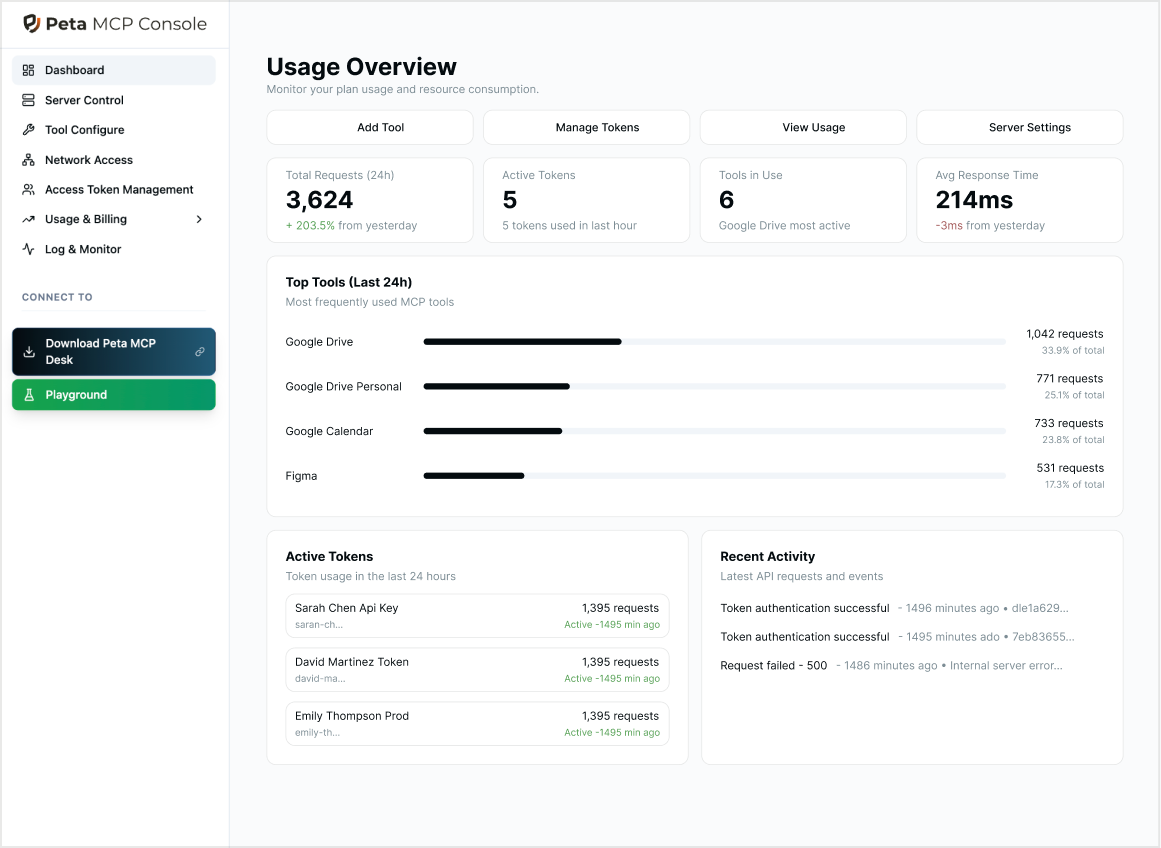
Peta Console is where you define which users and agents can access which MCP tools, in which environments, and which actions require human approval -- all from one place. It provides an audit trail for tool calls and approval decisions across your MCP servers.
Peta Desk
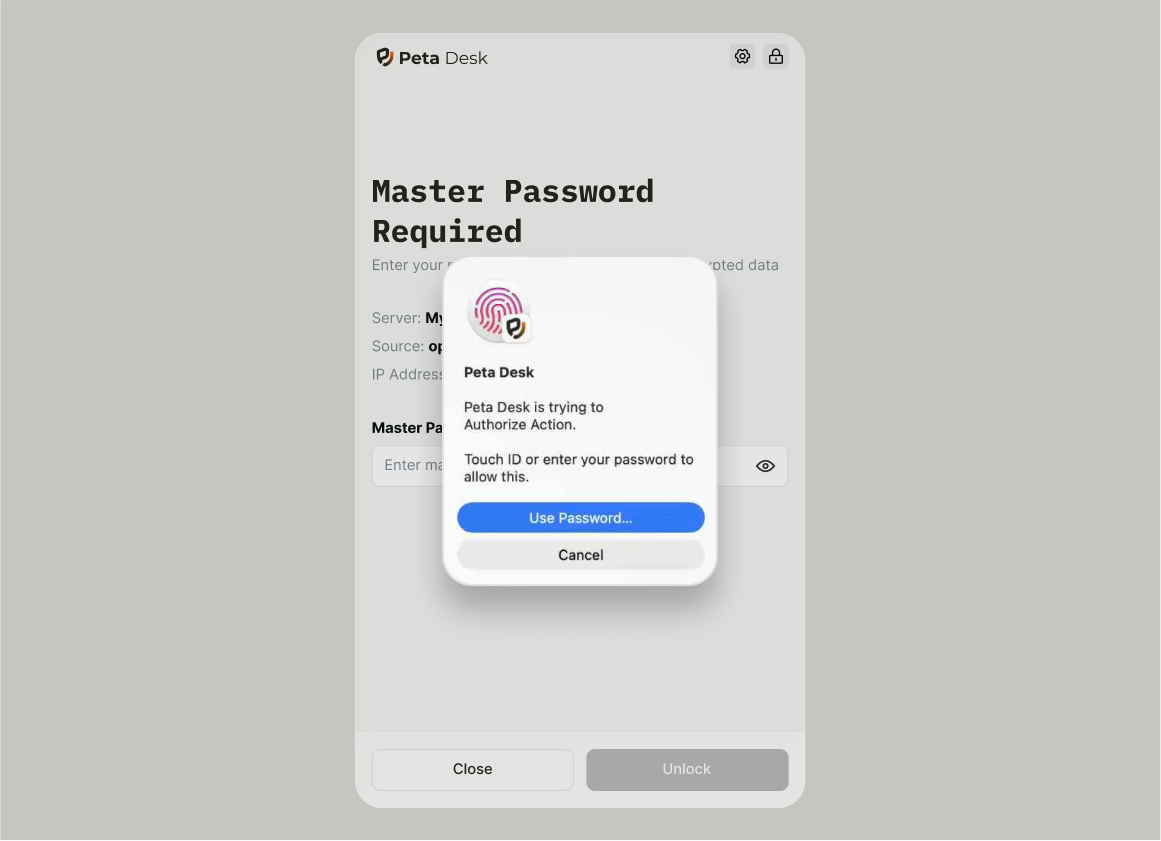
Peta Desk is the human-in-the-loop app for agent approvals. When an agent wants to perform a high-risk operation, Desk turns it into a clear, reviewable request that humans can approve or deny from Peta Desk -- without sending raw credentials to the agent.
Why a Control Plane
Secure Vault, Managed Runtime, Full Visibility
Give agents the access they need — policies enforced, credentials hidden, every call logged.
Managed MCP Runtime
Stop babysitting MCP servers. Peta handles lifecycle, scaling, and health so you can focus on building.
Lazy loading — servers start on first call, shut down after 5 min idle
Auto-retry on timeout with automatic server restart
Warm pools and autoscaling for instant response
Convert REST APIs to MCP and upload skill packages as namespaced tools
Never Expose Secrets to MCP Clients
Agents authenticate with short-lived Peta tokens; real API keys stay encrypted in the Vault and behind the MCP gateway.
Short-lived agent tokens instead of raw keys
Server-side secret injection for MCP tools and custom APIs
No credentials in prompts, logs, or traces
OAuth token brokerage — downstream tokens auto-refresh, never exposed
Policy-Based Access & Approvals
Define who can access what, require human sign-off for high-risk actions, and revoke or rotate access instantly — all from one place.
Tag high-risk tools as approval-required
Revoke or rotate access without redeploying agents
Approve from Peta Desk or the web console
Full Audit Trail of Every Action
See which agent or user called which MCP tool, with which parameters, through the Peta gateway.
Per-agent and per-tool call history
Tie incidents back to approvals and policy decisions
Export SIEM-ready logs for compliance
Questions
Common Questions
Quick answers to help you understand how Peta fits into your workflow
Anyone building AI agents or connecting AI to real-world tools and APIs.
You need Peta if:
- You're building agentic workflows — using LangChain, CrewAI, AutoGen, n8n, or other frameworks and need a single layer to manage MCP access, credentials, and policies
- You're rolling out MCP to your team — let everyone connect Claude, Cursor, ChatGPT, or other AI clients to shared MCP servers without complex per-user configuration
- You need policy-based approvals — configure which actions require human sign-off before agents execute on critical systems
- You need a full audit trail — track every tool call, which agent made it, and what parameters were used for compliance
- You want managed MCP runtime — stop babysitting servers and let Peta handle lifecycle, scaling, and health checks
Peta can reduce setup time from days to hours — a basic deployment takes around 30 minutes depending on your environment.
One Control Plane for Your MCP Servers
Deploy Peta's MCP control plane in minutes — secure vault, managed runtime, audit trail, and policy-based approvals ready to go.